
The reconciliation that eats your afternoon, done in one thread.
The Anrok MCP server puts your transactions, filings, nexus position, customers, and exemption certificates inside Claude, ChatGPT, Cursor, and any MCP-compatible AI assistant. Ask in plain language and act on the answer without opening Anrok.
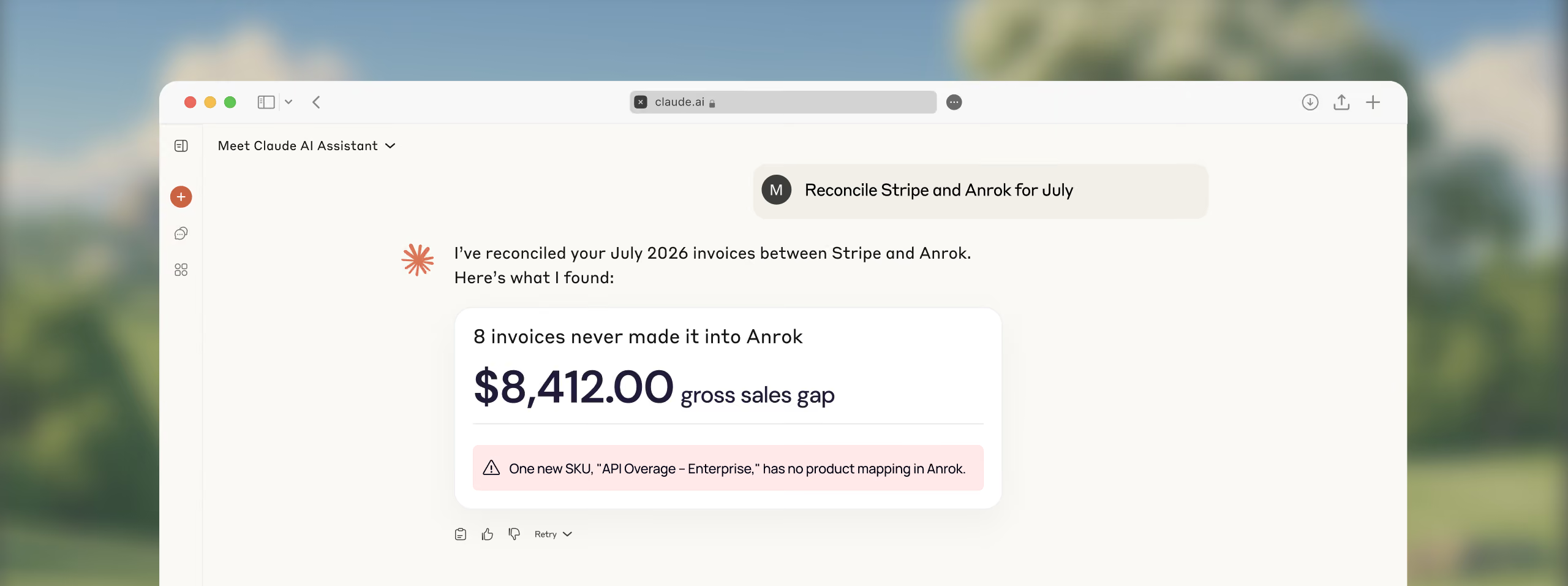
















Your AI already knows your tax data. Now it can act on it. MCP means tax stops being a system someone has to open and becomes a capability every tool on your team already has.

Reconcile two systems in minutes

Tax answers without opening Anrok

Never start a hard task from scratch

Answers before you ask
How it works
From the first question to the fix, every tax task runs inside your AI assistant, without opening Anrok.
Scoped, revocable access
Connect from your AI tool's connector settings. Revoke it any time, from Anrok or from the assistant.
Answers grounded in your data
Ask about a transaction, filing, or certificate. Get the answer in the thread, with the reasoning shown.
Closed-loop actions
Map a product, add a customer, or update a transaction. See exactly what changed after.
Governed by design
Voids, refunds, and filing approval never reach the model. Nothing irreversible is on the table.
The companies building what’s next, run on Anrok.
From high-growth startups to global teams, modern companies use Anrok to automate tax compliance, expand into new markets, and stay audit-ready.

How Notion cracked the global tax problem
"You can build out a tax team of ten people, or you can have Anrok."
.png)

How Webflow went from paying out of pocket to proving the pass-through
"Anrok shaved off a good two to three days a month."

Synthesia got global tax down to 4 hours a month
"We kind of jumped straight to Anrok just because they're well known in the tech space with a focus on companies like Synthesia."
.png)
Everything answered about Anrok MCP
The Anrok MCP server connects your Anrok data, transactions, filings, nexus position, customers, and exemption certificates, to any MCP-compatible AI assistant, including Claude, ChatGPT, and Cursor. Ask a question in plain language and get the answer in the same thread, without opening a dashboard.
Anrok MCP works with any MCP-compatible client, including Claude, ChatGPT, Cursor, and VS Code. If your AI environment supports the model context protocol, it supports Anrok.
It does both. Anrok answers questions grounded in your own data, and it acts on them: mapping a new product, adding a customer, uploading a certificate, or updating a transaction, then showing you exactly what changed.
Access runs through OAuth 2.1, scoped and revocable. The credential shows up on your Anrok API keys page, exactly like every other key, and you revoke it from there or from your AI tool at any time. A credential only sees the tools its scopes allow.
Add Anrok as a connector from your AI tool's connector settings and approve the scopes. If your company locks down its AI environment, your IT admin might need to add Anrok as a custom connector first, so it's worth checking with them before you start.